
Build · Lesson 9 of 14
Meet Remix
About 3 minutes · On a computer
Remix is a free code editor for smart contracts that runs in your browser. No install and no account.
It also has a built-in practice blockchain called the Remix VM. It runs inside your browser with test accounts full of fake ETH, so you can try things without a wallet at all.
Do this part on a laptop or desktop.
Open Remix
Open app.remix.live (opens in a new tab) and keep the tab open. (The old address, remix.ethereum.org, now takes you there too.)
The first time, Remix shows a couple of popups:
- AI and Analytics Preferences: Remix asks about its AI assistant and anonymous usage stats. Click Accept, or Manage Preferences to switch the optional ones off. Either is fine for this course.
- A "what's new" message: close it with the ×.
Find your way around
- The icon bar on the far left, with a label under each icon. You'll use three: Files, Compile and Deploy.
- The side panel next to it, showing whichever icon you clicked.
- The editor in the middle, where you write code. There's also a Compile button just above it.
- The terminal at the bottom, which logs everything that happens.
- The RemixAI assistant may open on the right. You won't need it for this course, so you can close it with its ×.
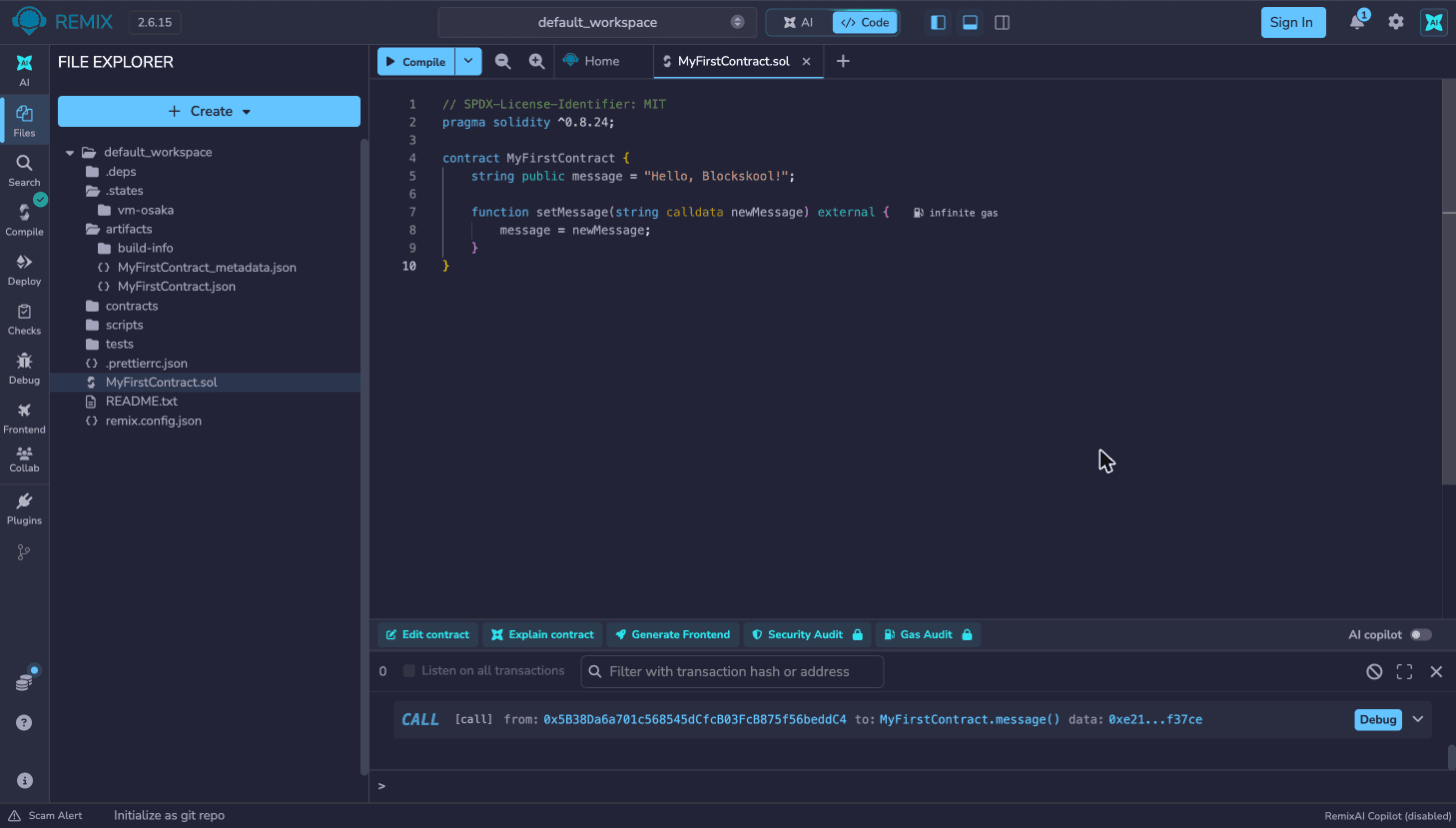
Found Files, Compile and Deploy? You're ready to build.
Before you move on
Tick these off as you go.